


Fenix BC30 V2.0 Bicycle Flashlight
- Product SKU: FN-BC30V2
- Category: Best Selling Products, Electric wire, battery, flashlight, socket..., Electrical equipment and flashlights, New products, Newest Products, Other products
Fenix Flashlight BC30 V2.0 is a wireless controlled bicycle flashlight model.
Fenix BC30 V2.0 Flashlight is an upgraded version of the BC30R 2017 flashlight with many valuable changes, more convenient than the old version.
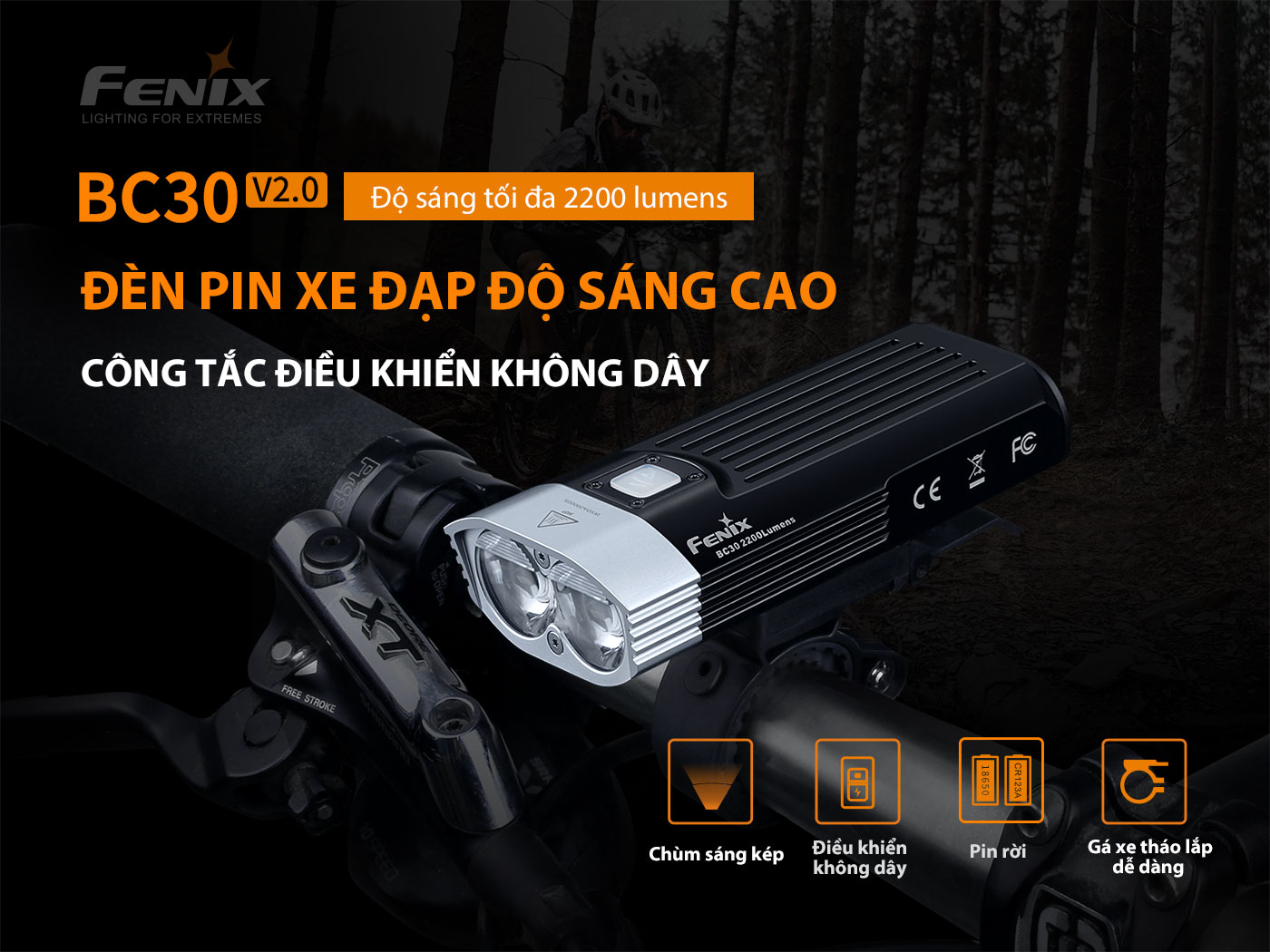
Fenix BC30 V2.0 Bicycle Flashlight – High brightness bicycle flashlight.
What's special about the Fenix BC30 V2.0 flashlight?
- The most special thing of Fenix BC30 V2.0 is a wireless push button, you can operate the control quickly without touching the light.
- Lamp used 2 rechargeable battery 18650 removable battery, can be replaced instantly when the light runs out of battery in the middle.
- The lamp has high power, up to 2200 lumens, beam range up to 187m.
- The body of the Fenix BC30 V2.0 flashlight is made of super durable solid aluminum alloy, impact resistant and good heat dissipation, in addition the lamp is also waterproof and dustproof according to IP67 standards.
- Fenix BC30 V2.0 flashlight can work well in temperature and weather conditions thanks to its good heat dissipation and cold resistance for the battery.
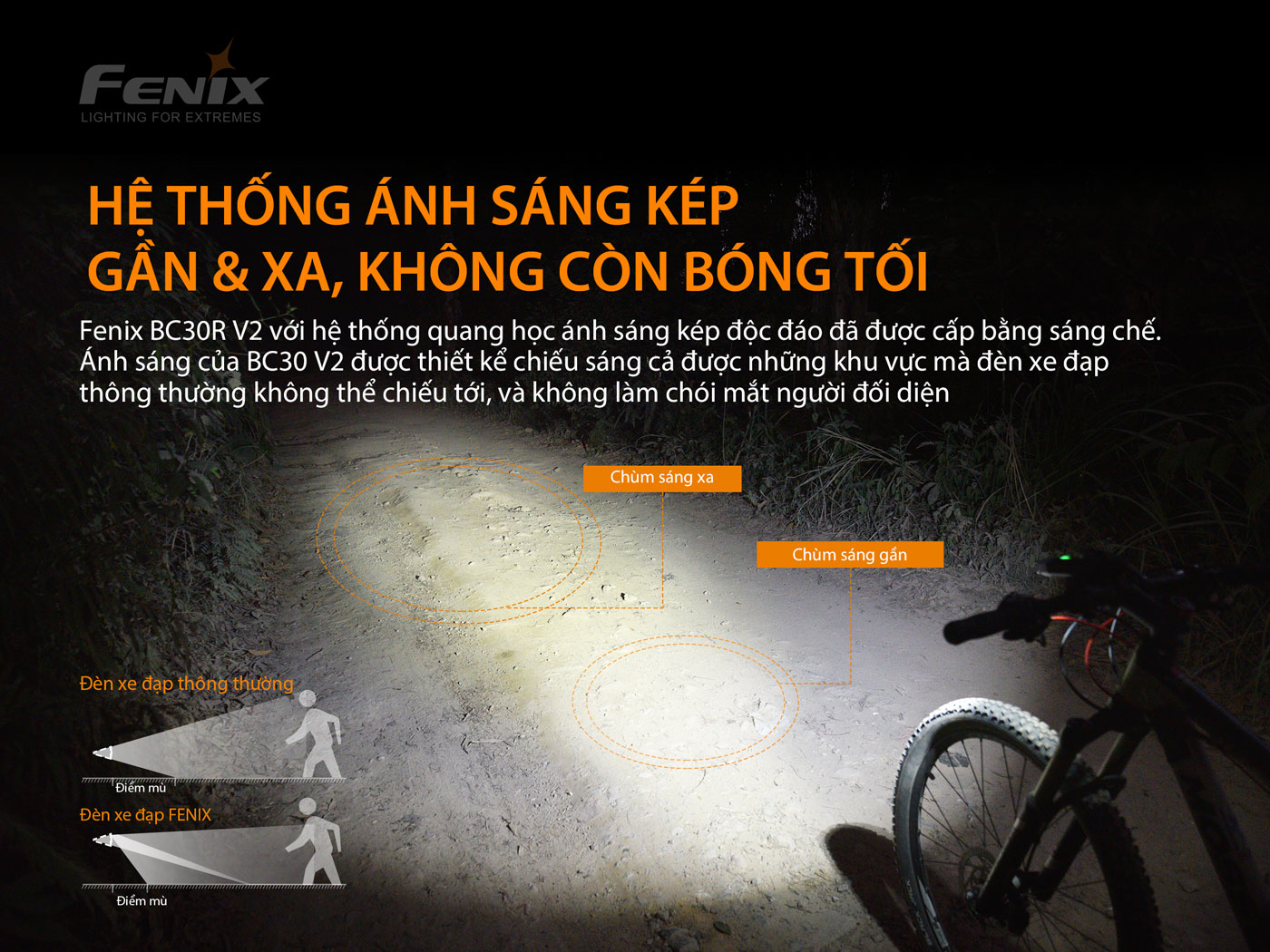
Fenix BC30 V2.0 Bicycle Flashlight – Near & Far Dual Light System.
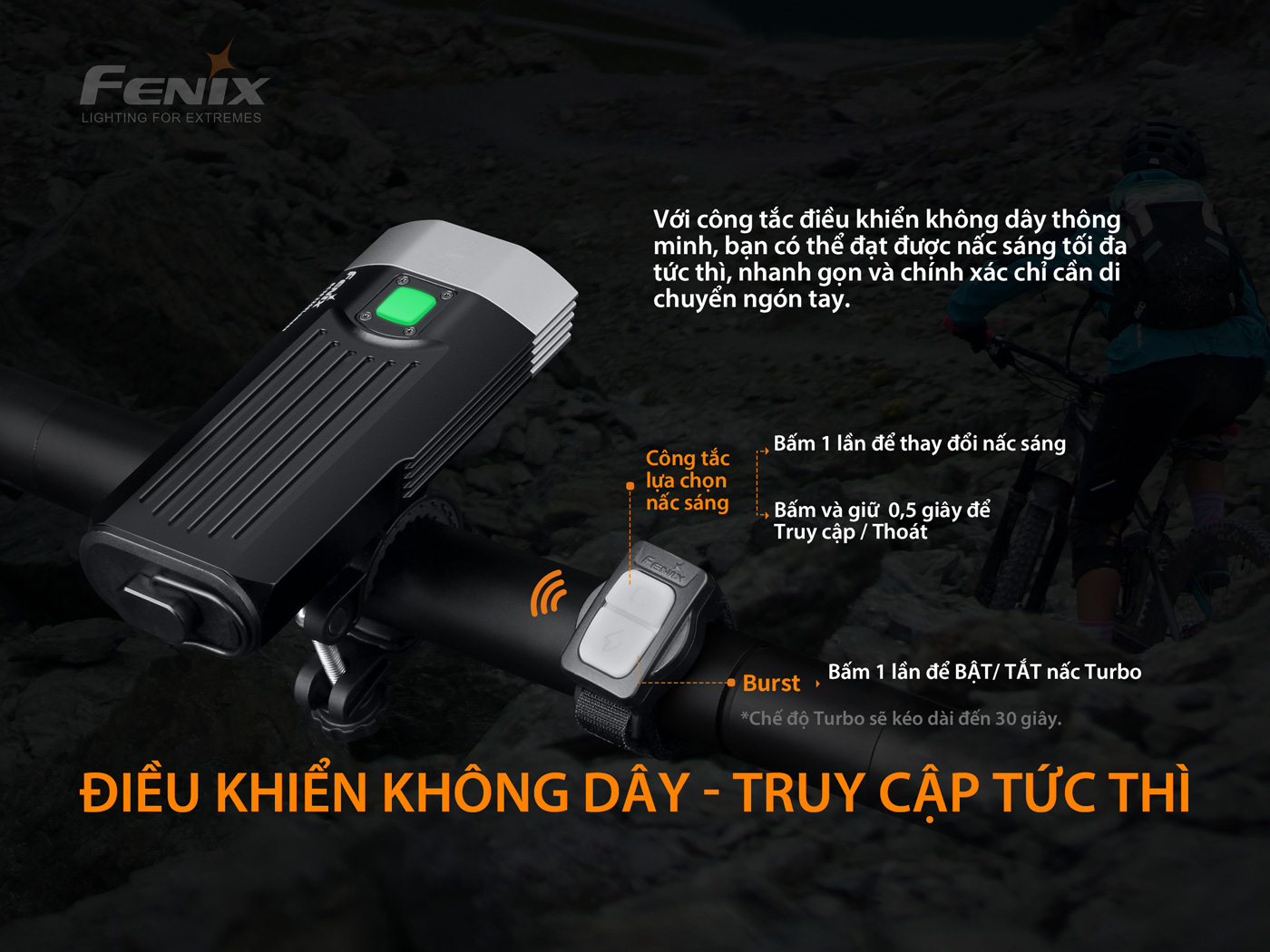
Fenix BC30 V2.0 Bicycle Flashlight – Integrated wireless control.
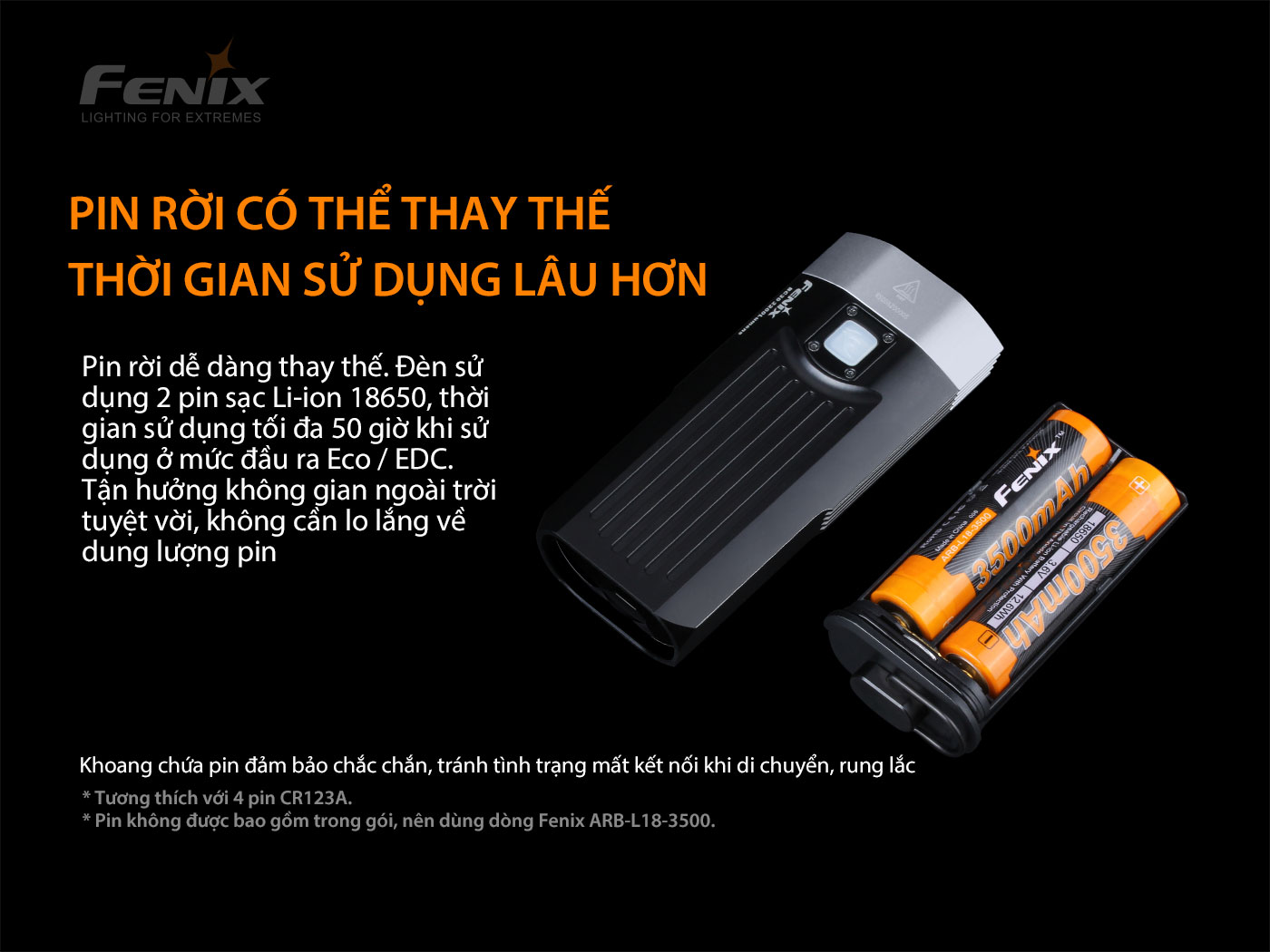
Fenix BC30 V2.0 Bicycle Flashlight – Removable battery for easy replacement.
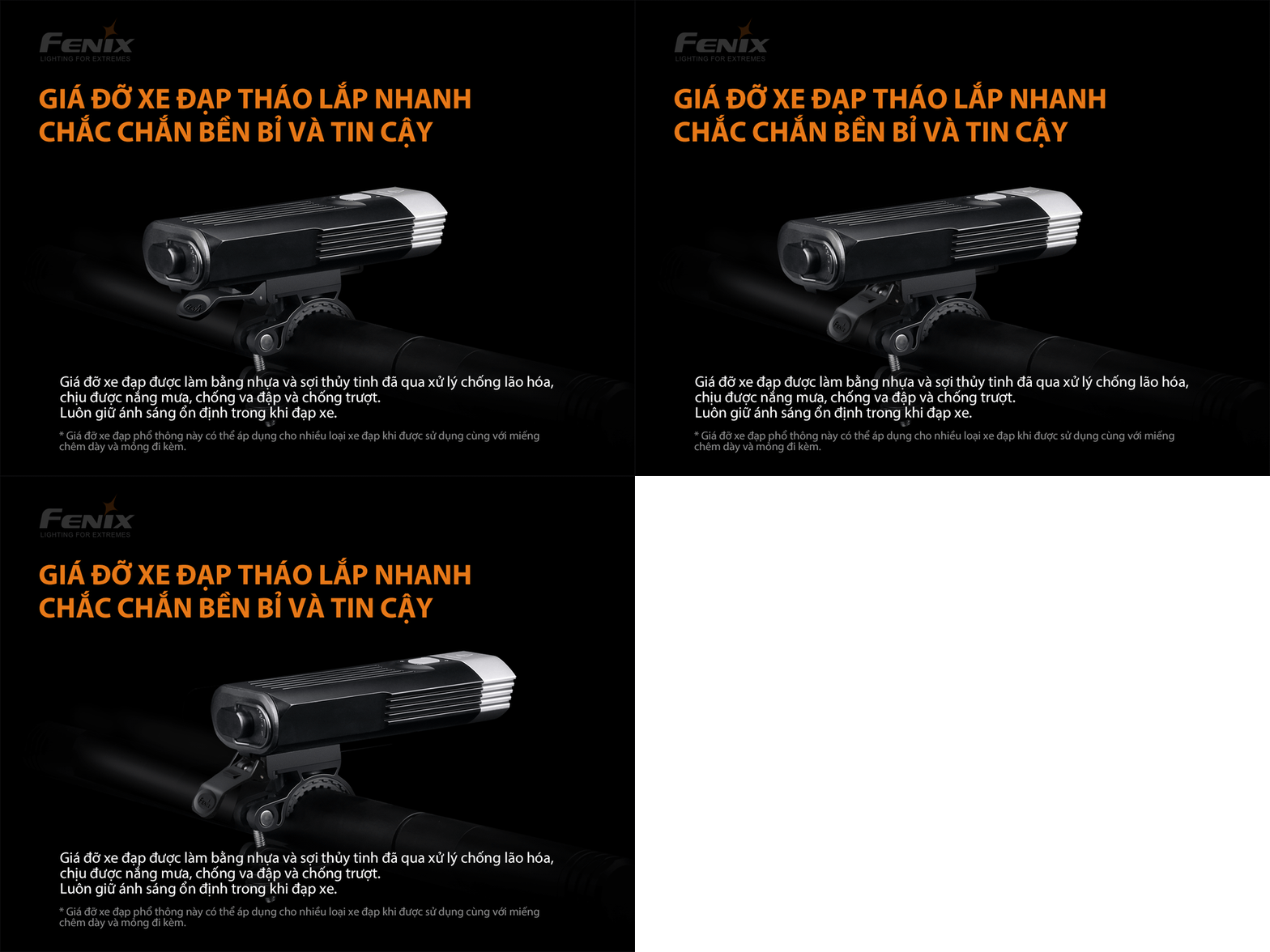
Fenix BC30 V2.0 Bicycle Flashlight – Quick release mount.
Outstanding features of Fenix BC30 V2.0 flashlight
- The most notable point of the Fenix BC30 V2.0 flashlight is the LED and reflector design.
- Using 2 parallel LUMINUS SST-40-N5 LEDs, the lighting area is 85 degrees wide and up to 187m far, giving you a comprehensive view when you ride without barriers.
- Special lens design, does not cause glare to the person opposite.
- Dual Beam lighting, using an upward beam, creates an additional bright area near the front of the vehicle, providing all-round visibility that other lights do not have.
- Fenix BC30 V2.0 flashlight can be assembled in just 3 seconds, extremely fast and convenient, and can also use an Adapter to mount the light on a helmet.
- The lamp body is processed full Metal, giving the lamp a solid, seamless look.
- The battery indicator of the Fenix BC30 V2.0 flashlight is integrated right on the main switch, it will always be on when the light is on so you know the battery status.
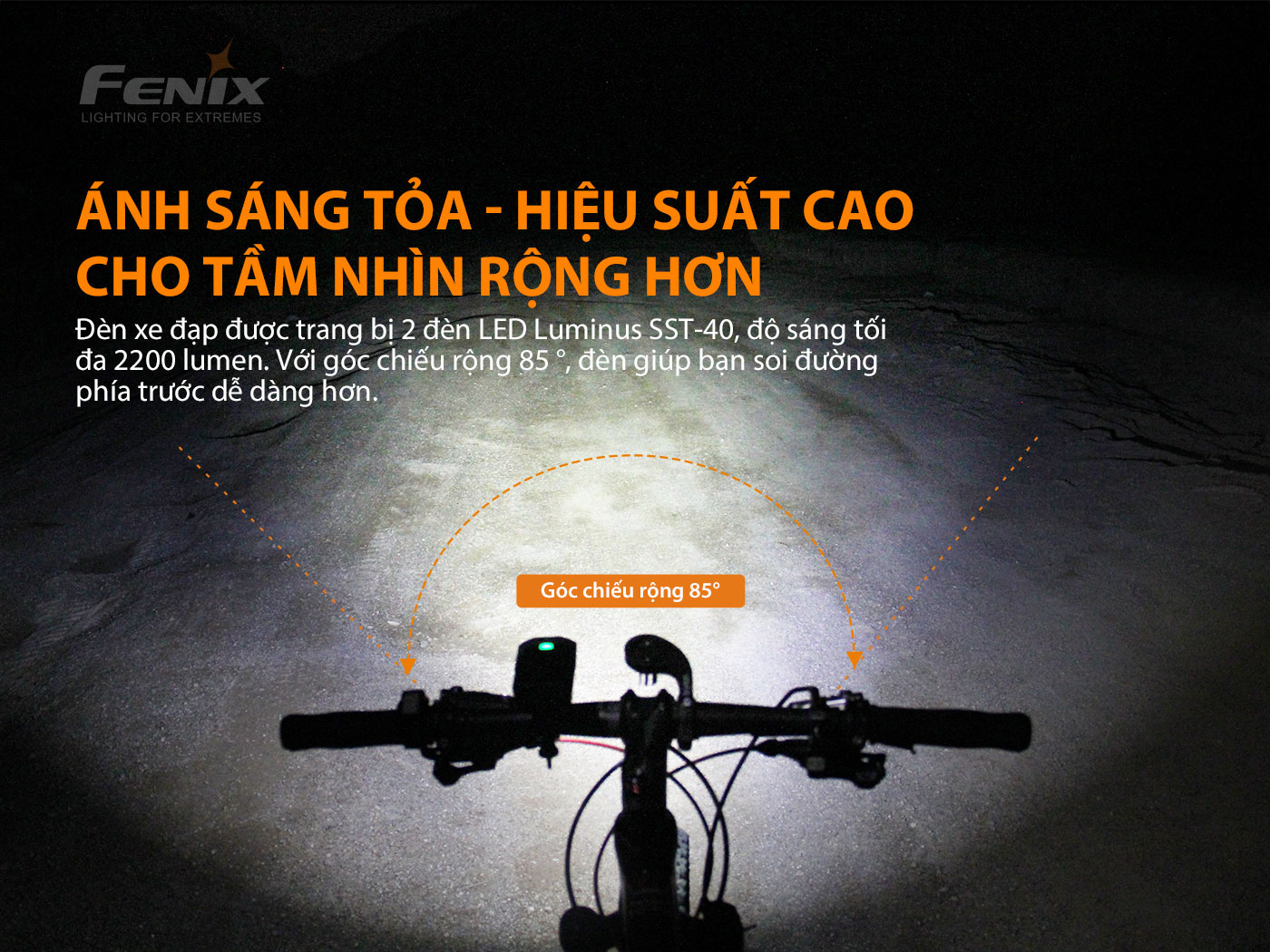
Fenix BC30 V2.0 Bicycle Flashlight – Spread light – with wide angle up to 85 degrees.
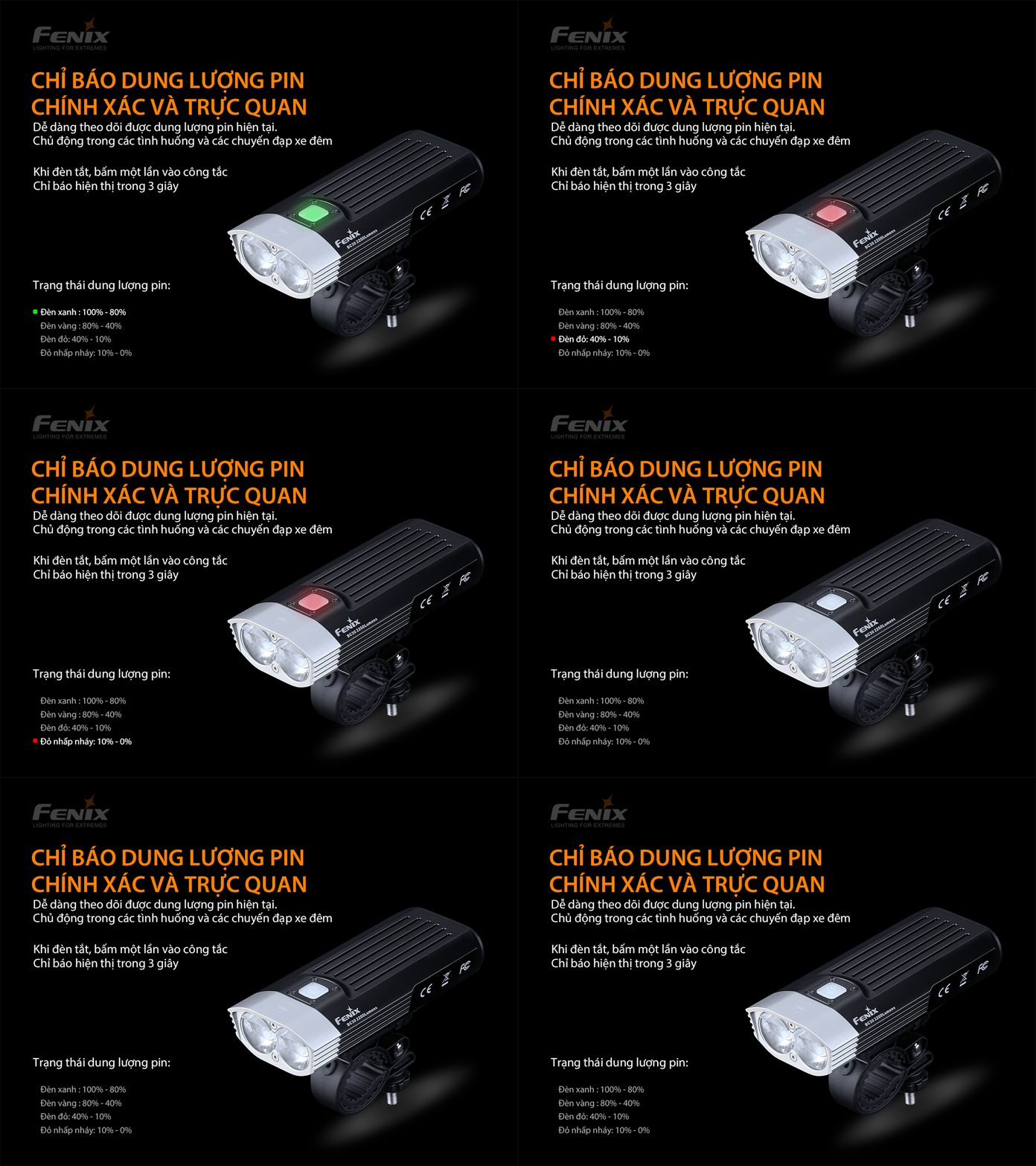
Fenix BC30 V2.0 Bicycle Flashlight – Accurate and intuitive battery capacity indicator.
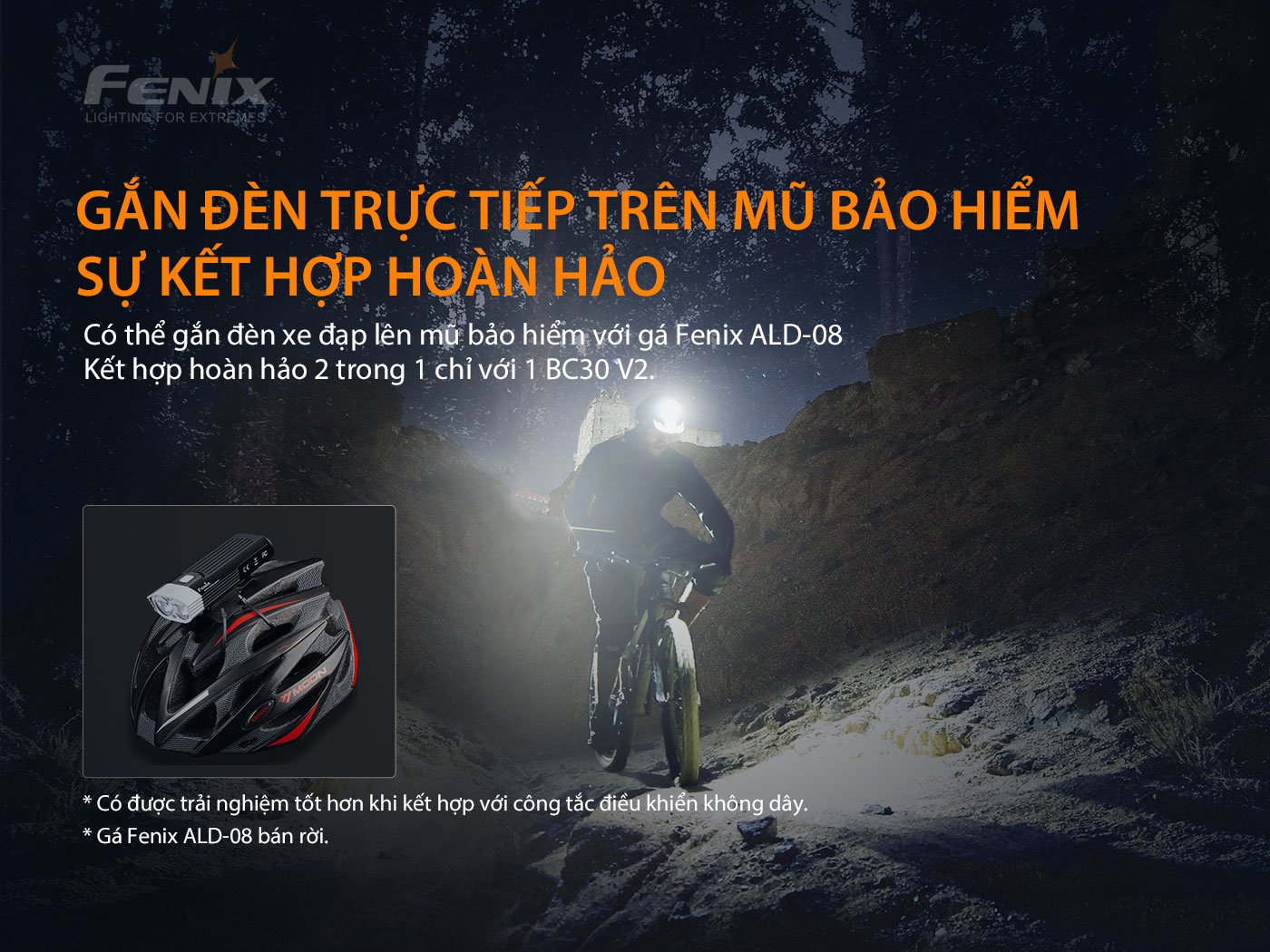
Fenix BC30 V2.0 Bicycle Flashlight – Can be connected to helmet with Fenix ALD-08
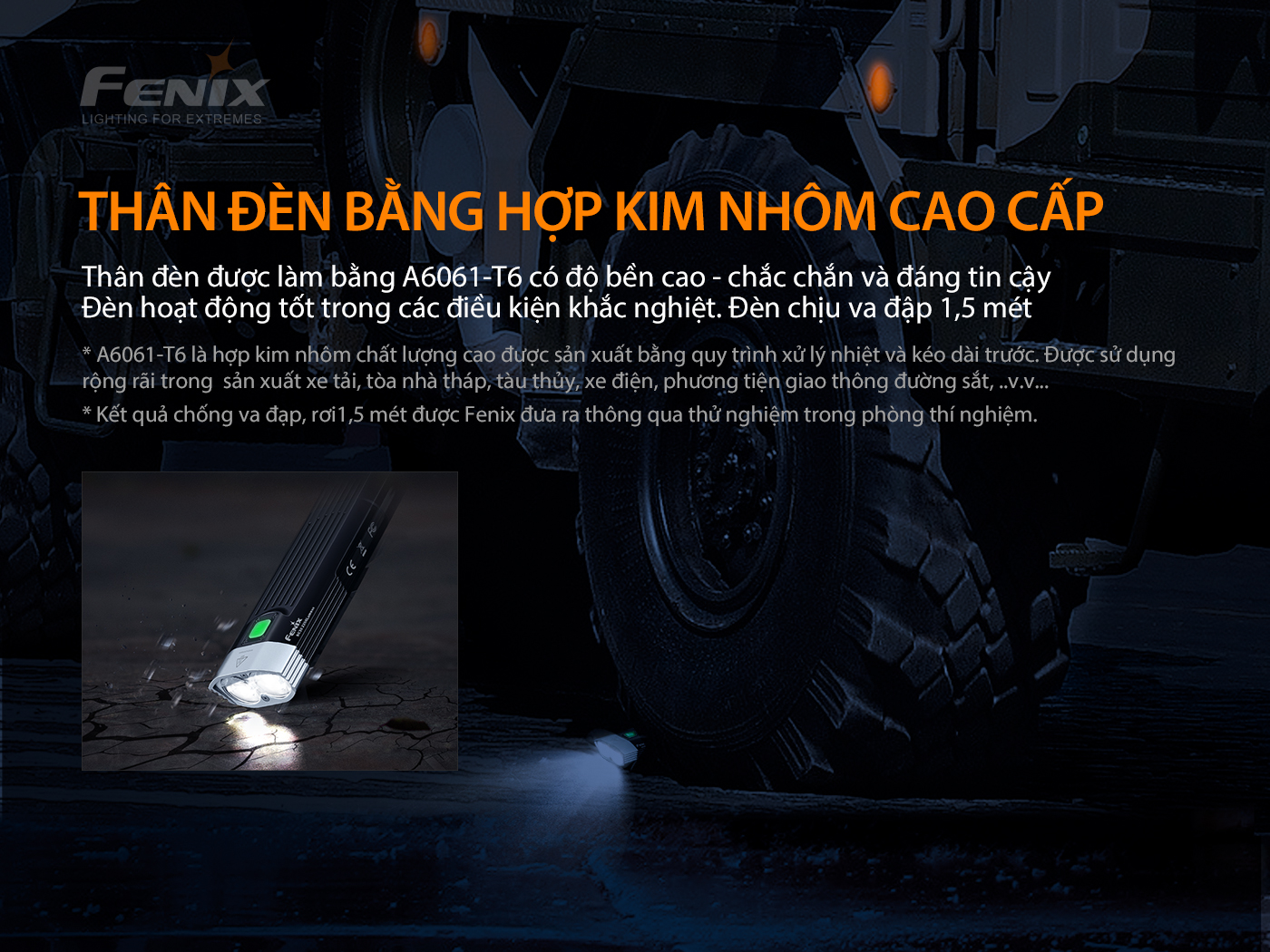
Fenix BC30 V2.0 Bicycle Flashlight – High strength A6061-T6 alloy – sturdy.
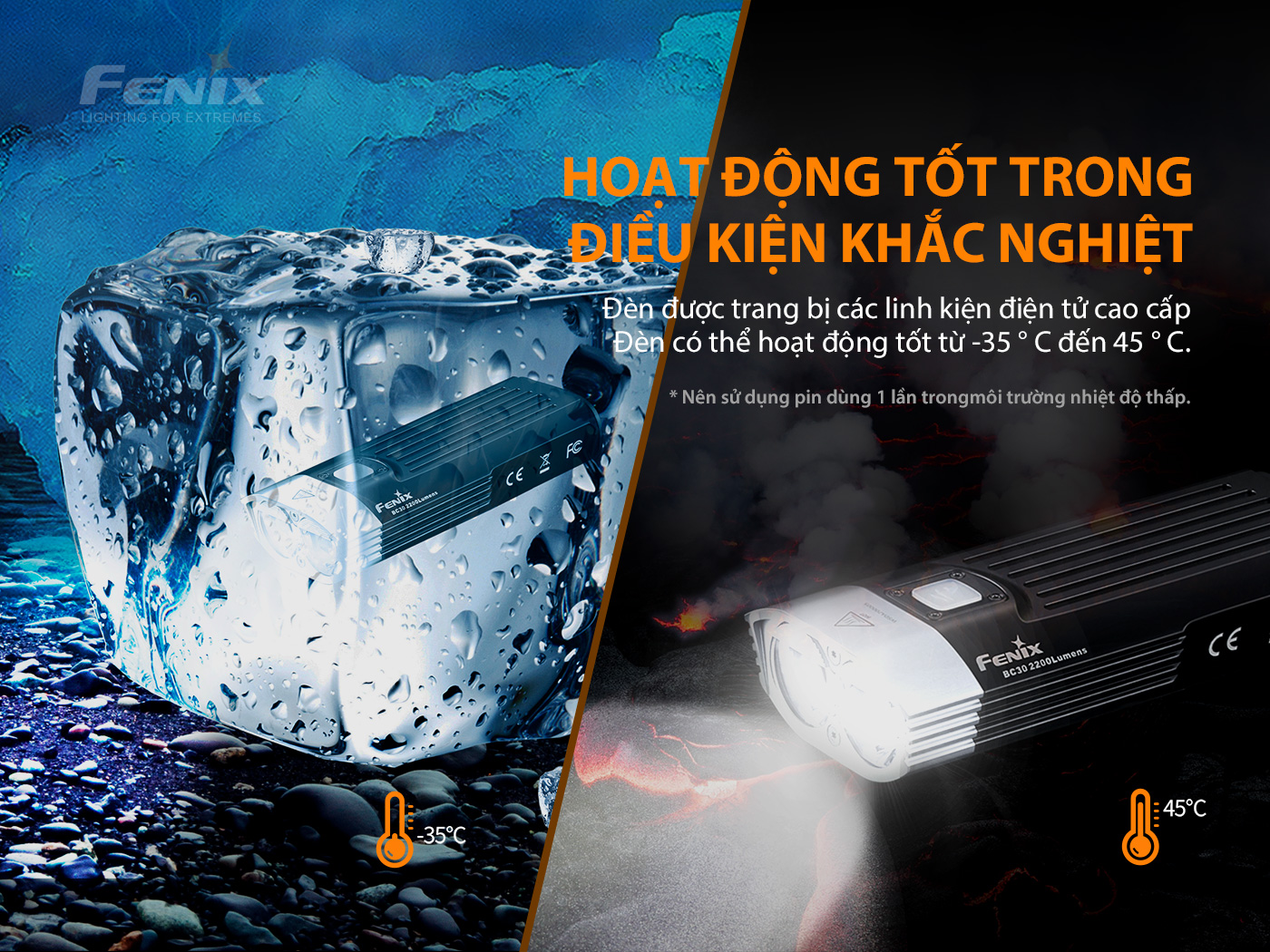
Fenix BC30 V2.0 Bicycle Flashlight – Works well in harsh conditions.
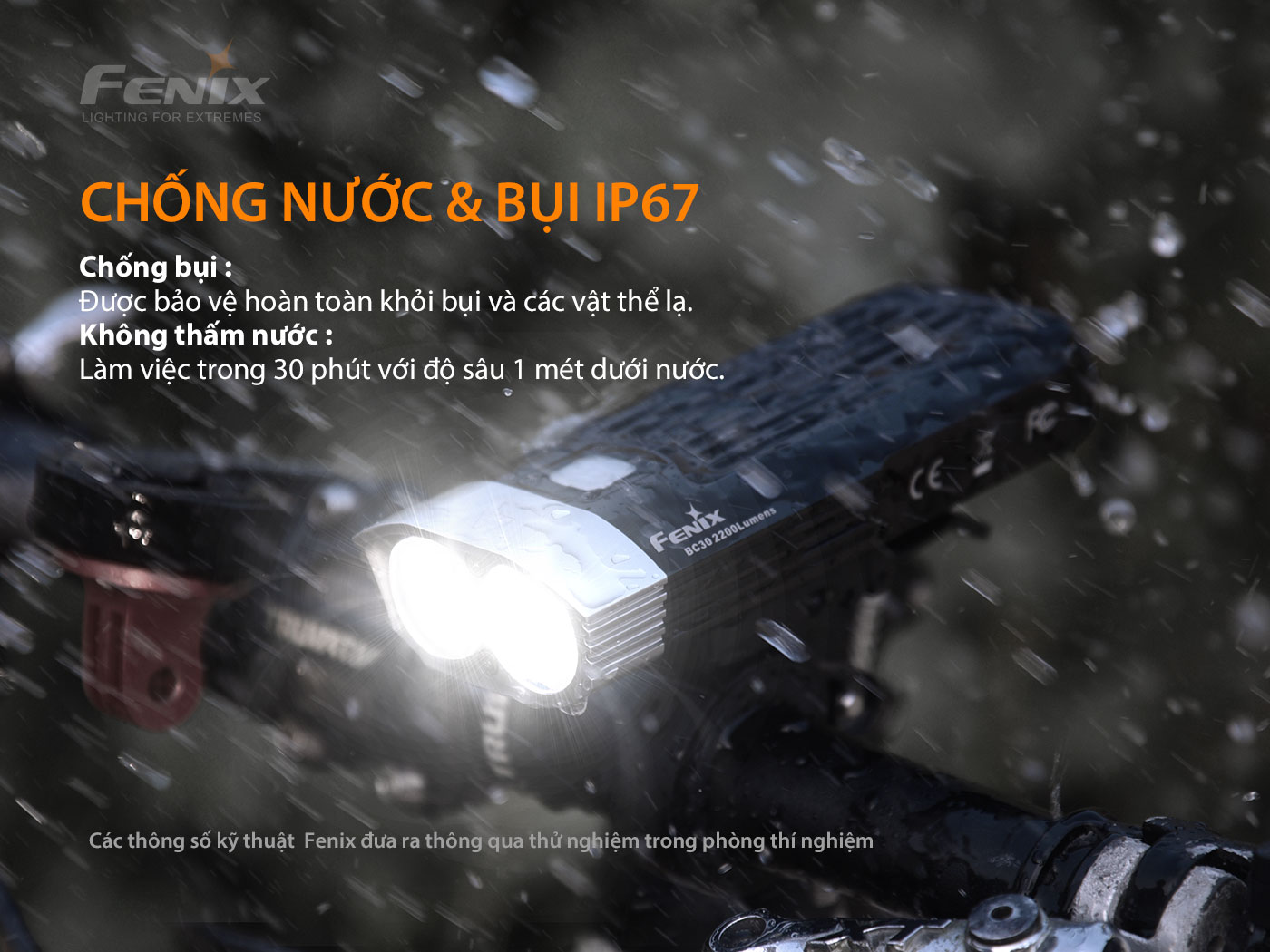
Fenix BC30 V2.0 Bicycle Flashlight – IP67 water & dust resistant standard.
Performance/Specifications of Fenix BC30 V2.0 Flashlight
- Fenix BC30 V2.0 Flashlight There are 5 brightness modes, and 1 Flash mode, with high applicability. Details of brightness, range and operating time at each brightness level are shown in the Runtime table below:
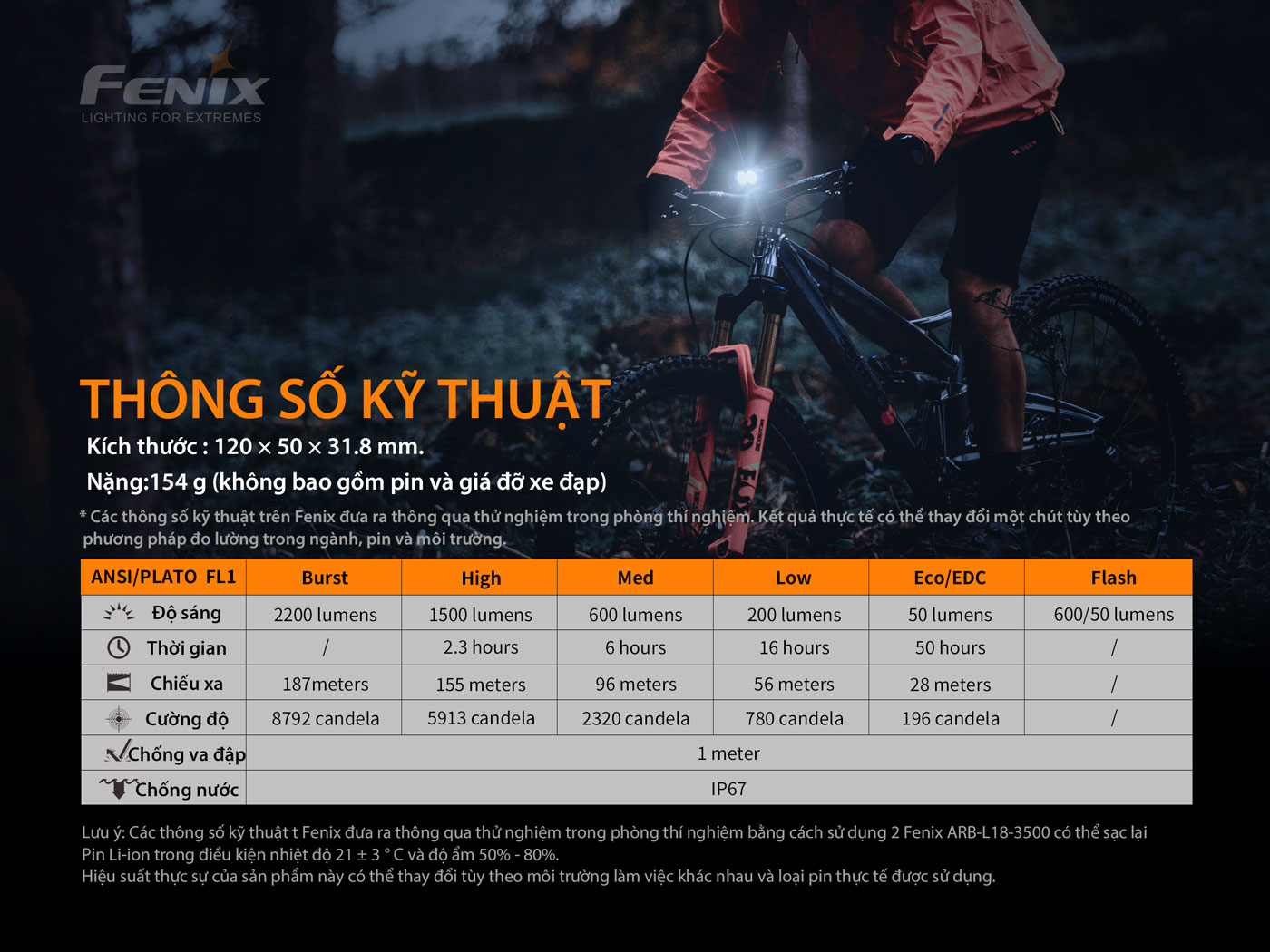
Fenix BC30 V2.0 Bicycle Flashlight – Specifications.
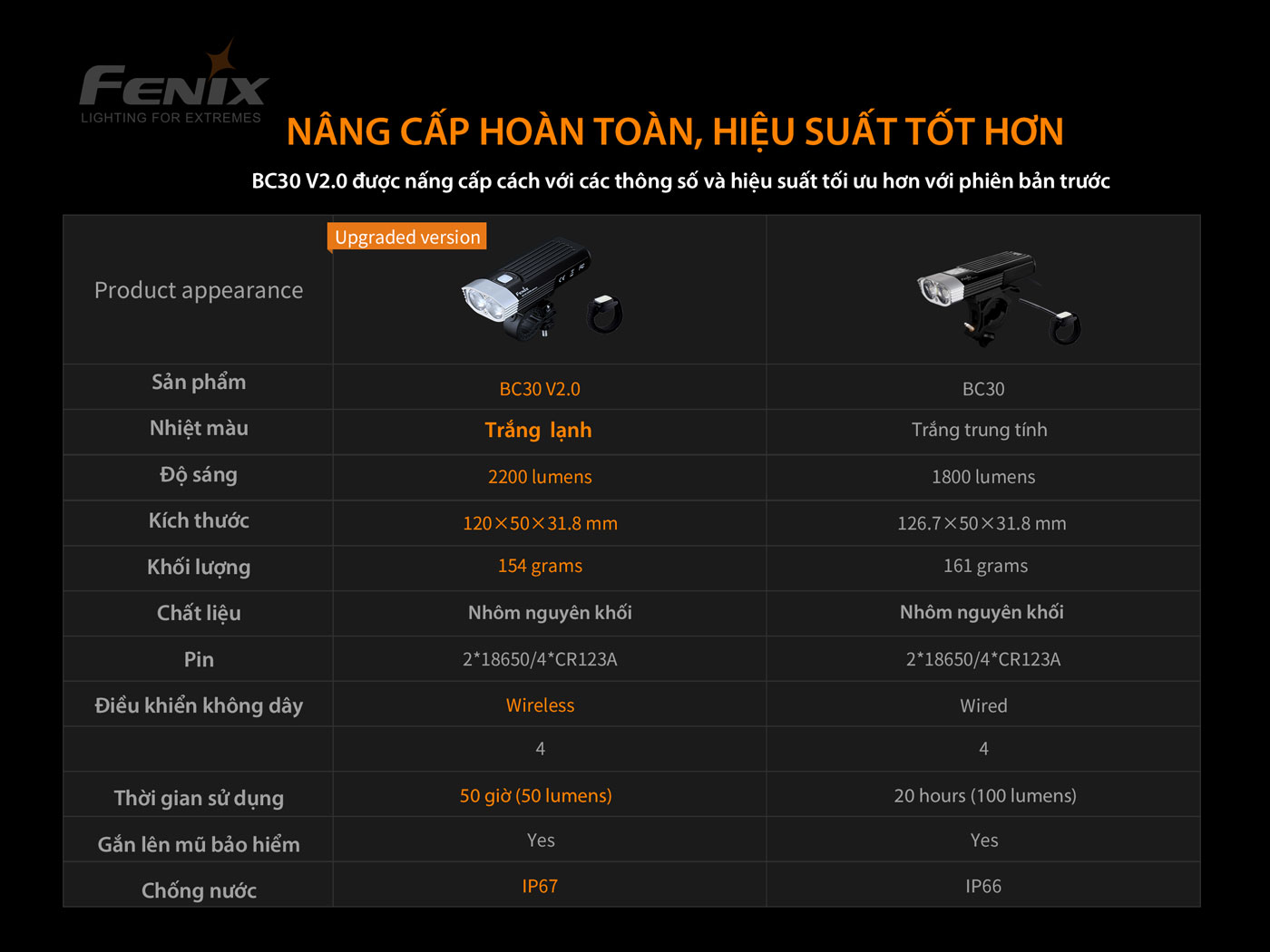
Fenix BC30 V2.0 Bicycle Flashlight – Completely upgraded, better performance than the old version.
How to use Fenix BC30 V2.0 flashlight
Note: Remove the battery insulation seal before first use.
On/Off:
Press and hold the function switch for 0.5s to turn the light On/Off.
Change the brightness of the light.
When the light is on, press the switch once to change the function.
EDC/Eco – Low – Med – High
Flash Mode: While the light is on, double-click the switch to enter Flash mode. Click again to return to general mode.
Wireless switch:
– First connection: Press and hold the function switch for 5 seconds, the switch will flash red and blue alternately, then click any button on the wireless switch once, the bicycle light will light up indicating the connection is complete.
Note:
– After the first connection, the wireless switch will remember the previous connection status.
– The connection distance between the light and the wireless switch must not exceed 1.5m during pairing.
Output options:
When the light is on, press and hold the switch for 0.5s to enter/exit standby mode, press once to select the mode: EDC/Eco – Low – Med – High. The light will automatically turn off after 10 minutes if there is no further operation.
Burst Mode:
While the light is on, press and hold to enter Burst mode and last for 30s. Press the switch once to exit Burst mode.
Note: If the battery is low, the light will be on at the highest level the battery can support.
The lamp has a smart mode memory circuit, the lamp will remember the last used level the next time it is used.
How to maintain Fenix BC30 V2.0 flashlight
- Recharge the battery every 4 months to ensure optimal life and performance when not in regular use.
- After charging is complete, remove the charging cable and push the dust cover back to protect the charging port from dust and foreign objects.
- Note: The Remote uses a CR1632 button battery. It should be replaced every 3 months to ensure the most convenient use.
Notes when using Fenix BC30 V2.0 flashlight
- Heat will be generated from the lamp body when used for a long time, this is a normal phenomenon.
- When the lamp is used at high brightness continuously and gets hot, the lamp will automatically reduce the brightness to reduce the temperature of the lamp.
- When the battery is low, higher brightness levels cannot be activated, the light self-programs at a lower brightness level.
- Do not shine the flashlight directly into your eyes.
- Keep out of reach of children!
- To ensure safety during long-term use, it is recommended to install a separate handle and avoid direct contact with the lamp body.
- Do not shine flammable objects or materials at close range.
- Do not disassemble the lamp head yourself to avoid damaging the lamp and voiding the warranty.
- Always lock the light when not in use to avoid accidental activation during storage or transport.
Fenix BC30 V2.0 flashlight kit includes
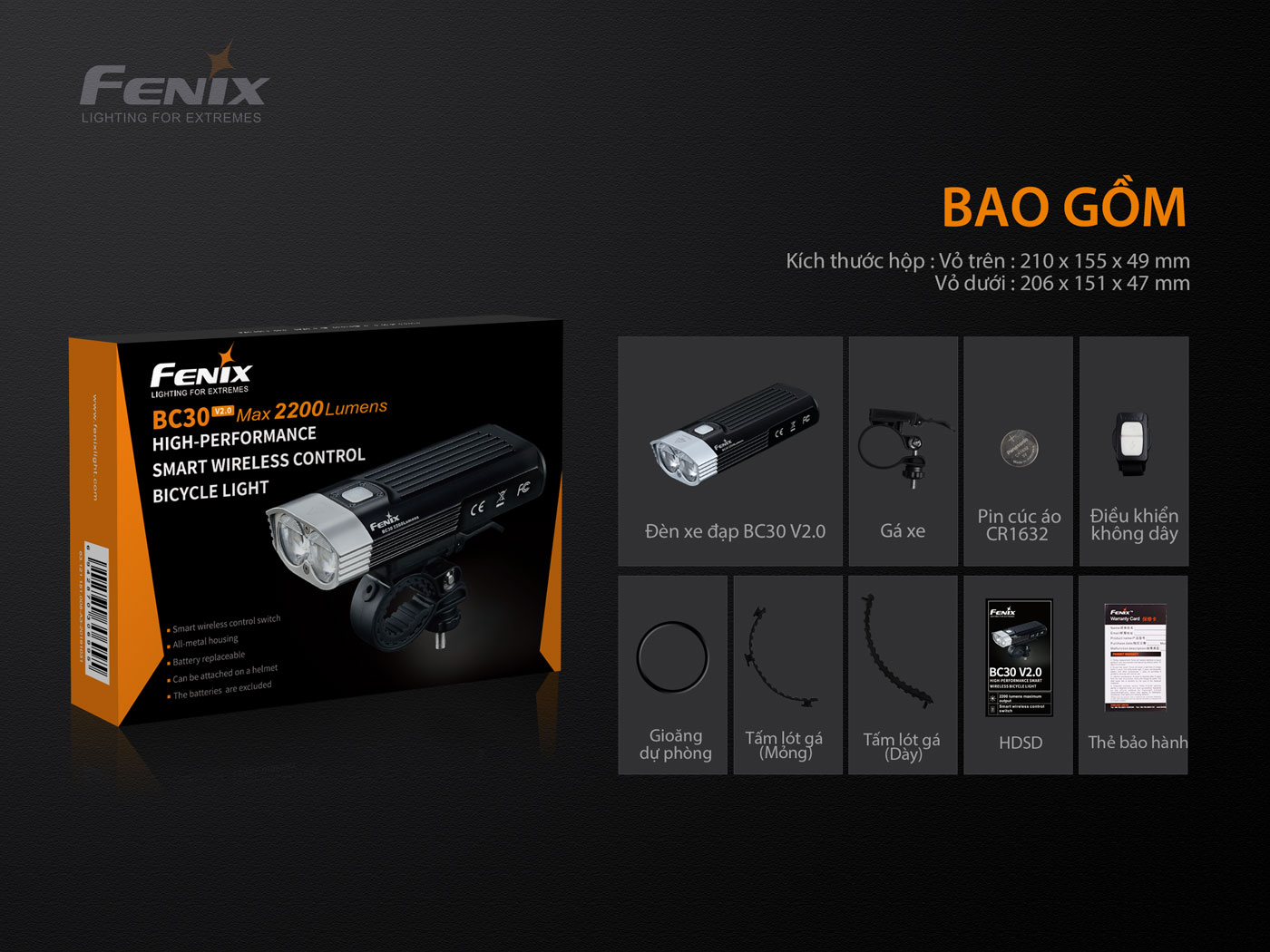
Fenix BC30 V2.0 Bicycle Flashlight – Product package includes.
1 x Fenix BC30 V2 Light
1 x Bicycle stand
1 x Remote control switch
1 x Spare light O-ring
2 x bike mount pads (thin/thick)
1 x CR1632 button battery (used for wireless control switch, replace every 3 months)
SPECIFICATIONS
Warranty policy for Fenix BC30 V2.0 flashlight
- Lamp body warranty 5 years, rechargeable battery warranty 1 year.
- Other accessories: 1 month.
- The warranty period is calculated from the date of order confirmation and storage on our system.
- NO WARRANTY in the following cases:
- Lamp broken, deformed, scratched.
- The lamp got wet due to user error (not closing the charging port cover or intentionally exceeding the lamp's water resistance standard).
- Disassemble, install, or modify the flashlight without permission outside of the user manual.
- Using battery or charger with incorrect technical specifications.
- Damage caused by natural disasters, accidents, theft, animal abuse and natural wear and tear.
Technical specifications of Fenix BC30 V2.0 flashlight
- Equipped with 2 Luminus SST-40 LED bulbs, lifespan over 50,000 hours
- Maximum brightness 2200 Lumens, beam distance 187 meters
- Uses 2 removable 18650 rechargeable batteries
- Equipped with remote control function
- Bicycle mount is extremely quick and sturdy
- Can be mounted on a hard hat
- Dual light system to prevent glare from oncoming drivers
- Dimensions: 120 x 50 x 31.8mm
- Weight: 154g (excluding battery)
Product Specifications
-
Light
White light
-
Led Chip
LUMINUS SST-40-N5
-
Maximum Power
2200lm
-
Long Range
187 m
-
Size
120 x 50 x 31.8 mm
-
Weight
154 g
-
Material
AT6061-T6 aluminum
-
Battery Type
2x18650 rechargeable Li-ion
-
Charging Type
Are not
-
Water Resistant Standards
IP67
-
Origin
Made in China
-
Guarantee
5 Years
Step 1: Visit the website and select the product you want to buy.
- You can find the product you want in the search bar or in the categories right below it.
Step: 2 Add to cart
※ There are 2 ways for you to add products to your cart:
- At the product image, click on the shopping cart icon, your product will be added to the shopping cart. A pop up will appear with product information and here you can choose to go to the shopping cart or continue shopping for other products.
- Or you can click on the product and go to the product detail page. Here you can select the quantity of the product you want to buy and click add to cart. A pop up will appear with the product information and here you can choose to go to cart or continue shopping for other products.
Step 3: Payment
At the shopping cart screen, you will check the information about the product you want to buy one more time before paying.
Step 4: Confirm payment information
- Fill in your contact information, in which, name, address, phone number and email address are required.
- Select shipping method. Shipping cost will be calculated at this step.
- Select payment method.
Step 5: Confirm order
- Once you complete your order, a confirmed order notification screen will appear.
- PHU THAI TECH's system will send a confirmation email containing your order number to the email you entered earlier. Please check the information carefully and notify us immediately if you have any changes via email support@phuthaitech.com.vn .
- For customers who choose to pay by card , you will be redirected to the card payment gateway after completing the order. Here, you will choose the appropriate card type and payment method. The order will be delivered within the specified time after the payment is confirmed.
- For customers choosing the cash on delivery (COD) payment method, the order will be delivered within the specified time after the order is confirmed as valid payment (valid COD).
- In case you choose to pay in advance via bank (bank transfer) , please pay after completing the order (details refer here (Payment Instructions) .
- Once payment is confirmed (valid payment), shipping information will be updated via email and the order will be delivered to you.
- If the payment is invalid, we will contact you again. Customers can also proactively contact us for quick support when any problems arise via email support@phuthaitech.com.vn or contact Hotline.
Thank you very much!
Thank you for choosing PHUTHAITECH as your shopping place. Currently, PHUTHAITECH 's e-commerce system has the following payment options:
- Payment by card and installment payment by credit card
- Payment method upon receipt of goods (COD)
- Prepayment via bank (transfer)
You can check the details of payment methods in the sections below and choose the most convenient method for you. PHUTHAITECH will always update the system and promise to bring more convenient payment methods in the future.
1. Payment by card and installment payment by credit card
- PHU THAI TECH supports card payment and installment payment by credit card. Select card payment in the payment section and click complete order, you will be redirected to the interface to choose detailed payment information.
- Customers can choose to pay by card such as VISA, MASTERCARD, JCB...
- For orders over 3 million, customers can choose to pay in installments via credit card. The payment gateway is supported by nearly 30 banks and financial institutions. Customers can choose different installment periods such as 3, 6, 9 or up to 12 months.
*Currently, only 2 forms of payment: card payment and installment payment via credit card are available on Eshop. Other payment forms are still under development.
2. Payment method upon receipt of goods (COD)
- Cash on Delivery (COD) is only accepted for total order value under 3,000,000 VND.
- Applicable to customers who choose Cash on Delivery and are in the area where we support delivery (see Delivery Policy for more information).
- If the payment is valid (COD is valid), the customer's order will be confirmed via email, then we will update the delivery information and proceed with the delivery within the specified time. The customer will pay directly to the delivery staff upon receipt of the goods.
3. Prepayment via bank (Bank transfer)
- Applicable to customers who choose the form of Prepayment via bank.
- You go to any bank, ATM in Vietnam or use internet banking service to transfer money to PHUTHAITECH 's bank account according to the information below (You can still transfer money via bank even if you don't have an account).


